Comparing backup stores for scheduled backups

· 5 min read
Panagiotis Goutis
Software Engineer @ Zeebe

With RDBMS support added in Camunda 8.9, we needed a reliable way to back up Zeebe's primary storage. We introduced scheduled backups that allow operators to configure backup intervals. Since backup operations are processed through Zeebe's logstream like other operations, they benefit from the same consistency guarantees that the engine provides.

Since our goal is to achieve the highest possible RPO (Recovery Point Objective) without sacrificing processing throughput, we’ve made several improvements across the supported backup stores. This experiment measures where we currently stand in practice.

Within the bounds of this experiment, we compare backup-store performance across the three major cloud providers: Google Cloud Storage (GCS), AWS S3, and Azure Blob Storage.

Chaos experiment

Expected outcomes

The expectations of this experiment are to:

  • Assess how well scheduled backups meet our RPO requirements under sustained high load.
  • Provide a rule of thumb for configuring the scheduler’s backup interval based on cluster usage and runtime state size.

Setup

The experiment uses a max-throughput benchmark from our Camunda load tests project, running on its own Kubernetes cluster.

The cluster uses a standard setup of 3 Zeebe brokers with 3 partitions and a replication factor of 3. Zeebe brokers are provisioned with 2 GiB of memory and 3 CPUs, similar to what a base 1x cluster is.

The benchmark scenario is fairly simple:

  • A single service-task process definition
  • An external client creating new process instances at a rate of 300 PIs/sec, including large variables
  • Three workers completing service tasks with a configured delay of 500 ms, also injecting large variables into the process instance scope

We inject large variables to increase Zeebe’s runtime state, which increases the RocksDB snapshot size and therefore the overall required backup size.

Primary storage backup size is influenced by two factors:

  • The size of the cluster's runtime state, represented in RocksDB snapshots
  • The amount of log segments still present in Zeebe's data directory

For RDBMS installations, we highly recommend enabling continuous backups. When continuous backups are enabled, log segment compaction is bound by the latest backed up position. If backups run infrequently on a high-throughput cluster, more segments accumulate between backup runs, increasing the amount of data to upload. To estimate a cluster's segment storage, multiply the atomix_segment_count metric by 128 (the default segment size in MB).

Experiment

To introduce scheduled backups, we configured the Zeebe brokers as follows:

CAMUNDA_DATA_PRIMARYSTORAGE_BACKUP_CONTINUOUS=true
CAMUNDA_DATA_PRIMARYSTORAGE_BACKUP_CHECKPOINTINTERVAL=PT30S
CAMUNDA_DATA_PRIMARYSTORAGE_BACKUP_SCHEDULE=PT2M

See the documentation for configuration option definitions. In short, we take a full Zeebe backup every 2 minutes and inject marker checkpoints into the log stream every 30 seconds.

Measurement

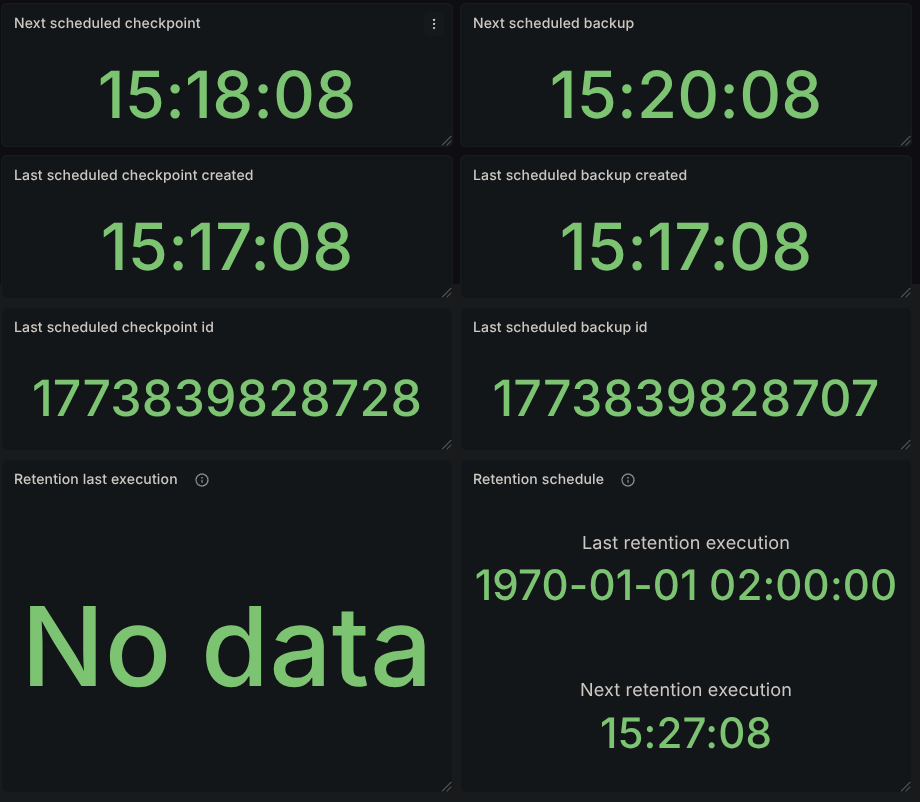
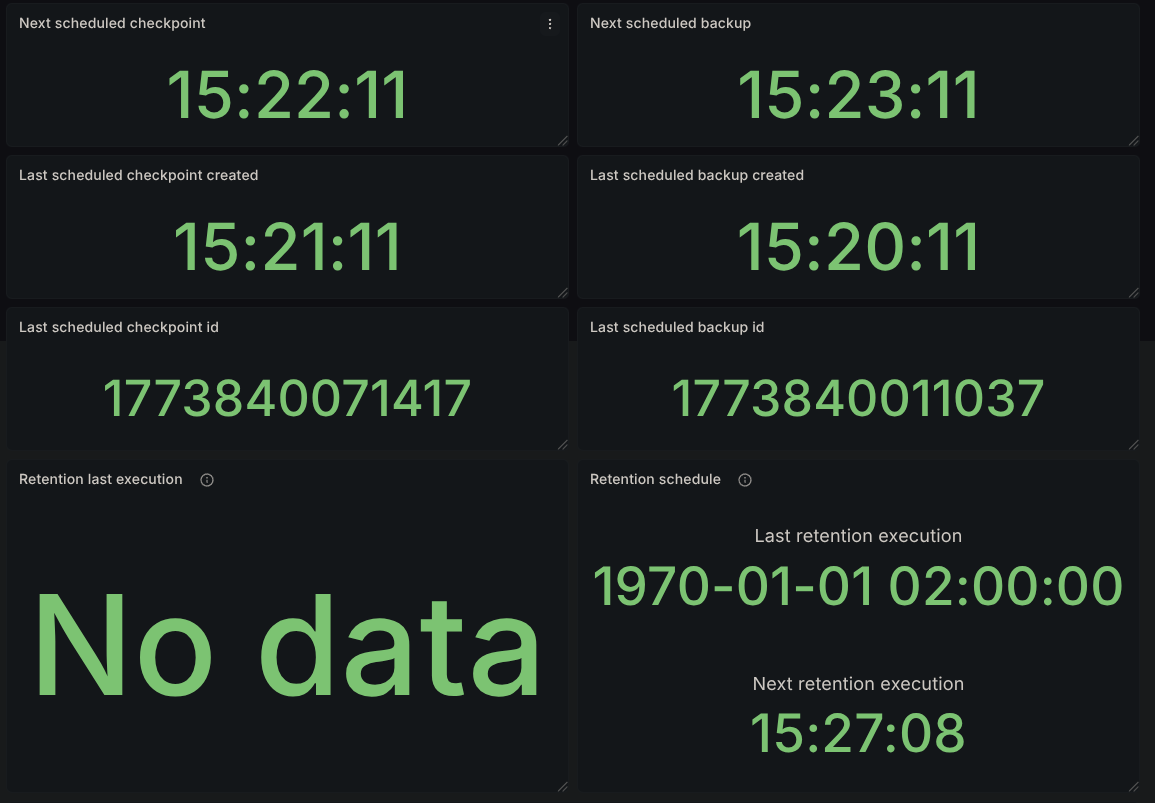
We sampled results using the provided Grafana dashboard.

  • Backup size: Approximated via RocksDB live data size per partition (metric: zeebe_rocksdb_live_estimate_live_data_size).
  • Backup duration: Captured via the dashboard panel Take Backup Latency. The expression's window was calibrated to 10 minutes (instead of 1 hour) to better capture latency in our setup. With backups taken every two minutes, the latency averages a window of roughly 5 backup executions

_Throughout the experiment, we aimed to maintain >80% cluster load while sustaining ~300 process instances per second.

Results

Results were collected over an average of three benchmark runs for each backup store.

SizeGoogle Cloud StorageAWS S3Azure Blob Storage
450MB8s8s24s
660MB10s10s26s
800MB13s11s28s
1GB15s13s30s
1.7GB18s18s35s
2GB21s19s40s
3GB25s25s50s
4GB30s30s78s

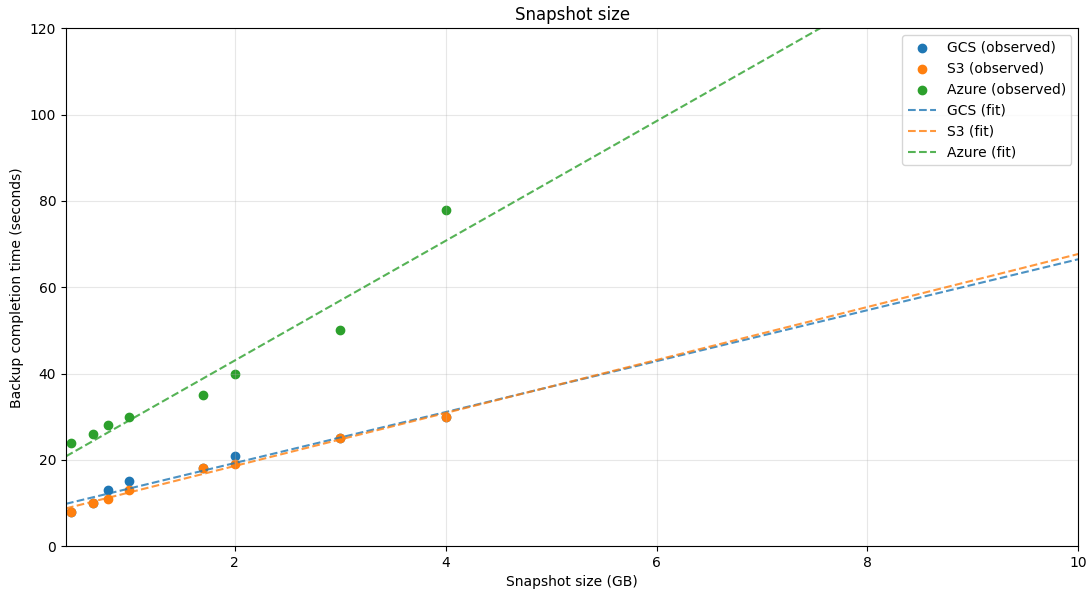
Based on the collected data points, all backup stores behave roughly linearly with respect to runtime state size, which makes it straightforward to extrapolate expected backup latency.

snapshot-comparison

Zeebe actors distinguish between CPU-bound and I/O-bound tasks, with CPU-bound tasks taking precedence. Because our scenario sustains high CPU utilization, backup completion time is impacted. Capturing the same runtime state sizes without load can reduce backup time by up to ~50%.

Conclusion

Maximizing your RPO means having backups available as close to the failure point as possible. With scheduled backups, this becomes more feasible while being backed up by the engine’s processing guarantees.

Runtime state size is only one of the factors affecting backup completion time and provides a good starting reference point. During our experiments, throughput interference was minimal—dare I say barely noticeable.

As a rule of thumb, the backup schedule's interval should be higher than the backup completion latency. Multiple in-flight backups can potentially hinder cluster performance. The provided Grafana dashboards make it straightforward to track these metrics and configure scheduled backups accordingly.

Future work

During these experiments, we also investigated:

  • Utilizing transparent GZIP compression for backup contents
  • Pre-compressing backup contents

These approaches yielded improvements in backup completion latency, but added overhead on the processing side, slightly reducing overall throughput. These were draft investigatory implementations for future reference.

An improvement that would most likely have the largest impact in taking a backups is performing proper RocksDB incremental snapshots, since that would minimize the amount of data required per backup. However, this approach come with it's own problems to tackle, not being that straightforward either.

Elastic restart impact on Camunda

· 6 min read
Christopher Kujawa
Principal Software Engineer @ Camunda

In today's Chaos Day, we explored the impact of Elasticsearch availability on Camunda 8.9+ (testing against main).

While we already tested last year the resiliency of our System against ES restarts (see previous post, we have run the OC cluster only. Additionally, certain configurations have been improved (default replica configurations, etc.).

This time, we wanted to see how the system behaves with OC + ES Exporter + Optimize enabled.

I was joined by Jon and Pranjal, the newest members of the reliability testing team.

TL;DR; While we found that short ES unavailability does not affect processing performance, depending on the configuration, it can affect data availability. For longer outages, this would then also impact Camunda processing. To mitigate this problem, corresponding exporters should be configured, but the necessary configurations are not properly exposed and need to be fixed in the Helm Chart.

data-avail

Experimenting with data availability metric

· 9 min read
Christopher Kujawa
Principal Software Engineer @ Camunda

Happy New Year, everyone 🎉! Time for some chaos experiments again 😃.

In today's chaos day, I was joined by Pranjal, our newest addition to the reliability testing team at Camunda (welcome 🎉)

We planned to experiment with the new data availability metric, which we have recently added to our load testing infrastructure, for more details see related PR. In short, we measure the time from creating a process instance until it is actually available to the user via the API. This allows us to reason how long it also takes for Operate to show new data.

The goal for today was to gain a better understanding of how the system behaves under higher loads and how this affects data availability. The focus was set here on the orchestration cluster, meaning data availability for Operate and Tasklist.

TL;DR: We have observed that increasing the process instance creation rate results in higher data availability times. While experimenting with different workloads, we discovered that the typical load test is still not working well. During our investigation of the platform behaviors, we found a recently introduced regression that is limiting our general maximum throughput. We also identified suboptimal error handling in the Gateway, which causes request retries and can exacerbate load issues.

comparison-latency.png

Building Confidence at Scale: How Camunda Ensures Platform Reliability Through Continuous Testing

· 8 min read
Christopher Kujawa
Principal Software Engineer @ Camunda

As businesses increasingly rely on process automation for their critical operations, the question of reliability becomes paramount. How can you trust that your automation platform will perform consistently under pressure, recover gracefully from failures, and maintain performance over time?

At Camunda, we've been asking ourselves these same questions for years, and today I want to share how our reliability testing practices have evolved to ensure our platform meets the demanding requirements of enterprise-scale deployments. I will also outline our plans to further invest in this crucial area.

Stress testing Camunda

· 12 min read
Christopher Kujawa
Principal Software Engineer @ Camunda

In today's chaos experiment, we focused on stress-testing the Camunda 8 orchestration cluster under high-load conditions. We simulated a large number of concurrent process instances to evaluate the performance of processing and system reliability.

Due to our recent work in supporting load tests for different versions, we were able to compare how different Camunda versions handle stress.

TL;DR: Overall, we saw that all versions of the Camunda 8 orchestration cluster (with focus on the processing) are robust and can handle high loads effectively and reliably. In consideration of throughput and latency, with similar resource allocation among the brokers, 8.7.x outperforms other versions. If we consider our streamlined architecture (which now contains more components in a single application) and align the resources for 8.8.x, it can achieve similar throughput levels as 8.7.x, while maintaining significantly lower latency (a factor of 2). An overview of the results can be found in the Results section below.

info

[Update: 28.11.2025]

After the initial analysis, we conducted further experiments with 8.8 to understand why the measured processing performance was lower compared to 8.7.x. The blog post (including TL;DR) has been updated with the new findings in the section Further Experiments below.

Testing retention of historical PIs in Camunda 8.8

· 4 min read
Rodrigo Lopes
Associate Software Engineer @ Zeebe

Summary:

With Camunda 8.8, a new unified Camunda Exporter is introduced that directly populates data records consumable by read APIs on the secondary storage. This significantly reduces the time until eventually consistent data becomes available on Get and Search APIs. It also removes unnecessary duplication across multiple indices due to the previous architecture.

This architectural change prompted us to re-run the retention tests to compare PI retention in historical indexes under the same conditions as Camunda 8.7.

The historical data refers to exported data from configured exporters, such as records of completed process instances, tasks, and events that are no longer part of the active (runtime) state but are retained for analysis, auditing, or reporting.

The goal of this experiment is to compare the amount of PIs that we can retain in historical data between Camunda 8.7 and 8.8 running with the same hardware.

Resilience of dynamic scaling

· 3 min read
Deepthi Akkoorath
Principal Software Engineer @ Camunda

With version 8.8, we introduced the ability to add new partitions to an existing Camunda cluster. This experiment aimed to evaluate the resilience of the scaling process under disruptive conditions.

Summary:

  • Several bugs were identified during testing.
  • After addressing these issues, scaling succeeded even when multiple nodes were restarted during the operation.

REST API: From ForkJoin to a Dedicated Thread Pool

· 7 min read
Berkay Can
Software Engineer @ Zeebe

During the latest REST API Performance load tests, we discovered that REST API requests suffered from significantly higher latency under CPU pressure, even when throughput numbers looked comparable. While adding more CPU cores alleviated the issue, this wasn’t a sustainable solution — it hinted at an inefficiency in how REST handled broker responses. See related section from the previous blog post.

This blog post is about how we diagnosed the issue, what we found, and the fix we introduced in PR #36517 to close the performance gap.

Resiliency against ELS unavailability

· 11 min read
Christopher Kujawa
Principal Software Engineer @ Camunda

Due to recent initiatives and architecture changes, we coupled us even more against the secondary storage (often Elasticsearch, but can also be OpenSearch or in the future RDBMS).

We now have one single application to run Webapps, Gateway, Broker, Exporters, etc., together. Including the new Camunda Exporter exporting all necessary data to the secondary storage. On bootstrap we need to create an expected schema, so our components work as expected, allowing Operate and Tasklist Web apps to consume the data and the exporter to export correctly. Furthermore, we have a new query API (REST API) allowing the search for available data in the secondary storage.

We have seen in previous experiments and load tests that unavailable ELS and not properly configured replicas can cause issues like the exporter not catching up or queries not succeeding. See related GitHub issue.

In todays chaos day, we want to play around with the replicas setting of the indices, which can be set in the Camunda Exporter (which is in charge of writing the data to the secondary storage).

TL;DR; Without the index replicas set, the Camunda Exporter is directly impacted by ELS node restarts. The query API seem to handle this transparently, but changing the resulting data. Having the replicas set will cause some performance impact, as the ELS node might run into CPU throttling (as they have much more to do). ELS slowing down has an impact on processing as well due to our write throttling mechanics. This means we need to be careful with this setting, while it gives us better availability (CamundaExporter can continue when ELS nodes restart), it might come with some cost.

Dynamic Scaling: probing linear scalability

· 7 min read
Carlo Sana
Senior Software Engineer @ Zeebe

Hypothesis

The objective of this chaos day is to estimate the scalability of Zeebe when brokers and partitions are scaled together: we expect to be able to see the system scaling linearly with the number of brokers/partition in terms of throughput and back pressure, while maintaining predictable latency.

General Experiment setup

To test this, we ran a benchmark using the latest alpha version of Camunda 8.8.0-alpha6, with the old ElasticsearchExporter disabled, and the new CamundaExporter enabled. We also made sure Raft leadership was balanced before starting the test, meaning each broker is leader for exactly one partition, and we turned on partition scaling by adding the following environment variable:

  • ZEEBE_BROKER_EXPERIMENTAL_FEATURES_ENABLEPARTITIONSCALING=true

Each broker also has a SSD-class volume with 32GB of disk space, limiting them to a few thousand IOPS. The processing load was 150 processes per second, with a large payload of 32KiB each. Each process instance has a single service task:

one-task

The processing load is generated by our own benchmarking application.

Initial cluster configuration

To test this hypothesis, we will start with a standard configuration of the Camunda orchestration cluster:

  • 3 nodes
  • 3 partitions
  • CPU limit: 2
  • Memory limit: 2 GB

We will increase the load through a load generator in fixed increments until we start to see the nodes showing constant non zero backpressure, which is a sign that the system has hit its throughput limits.

Target cluster configuration

Once that level of throughput is increased, we will scale broker & partitions while the cluster is under load to the new target value:

  • 6 nodes
  • 6 partitions
  • CPU limit: 2
  • Memory limit: 2 GB

Experiment

We expect that during the scaling operation the backpressure/latencies might worsen, but only temporarily, as once the scaling operation has completed, the additional load it generate is not present anymore.

Then, we will execute the same procedure as above, until we hit 2x the critical throughput hit before.

Expectation

If the system scales linearly, we expect to see similar level of performance metrics for similar values of the ratios PI (created/complete) per second / nr. of partition.

Steady state

The system is started with a throughput of 150 Process instances created per second. As this is a standard benchmark configuration, nothing unexpected happens:

  • The same number of process instances are completed as the ones created
  • The expected number of jobs is completed per unit of time

At this point, we have the following topology:

initial-topology

First benchmark: 3 broker and 3 partitions

Let's start increasing the load incrementally, by adding 30 Process instances/s for every step.

TimeBrokersPartitionsThroughputCPU UsageThrottling (CPU)Backpressure
09:3033150 PI/s, 150 jobs/s1.28 / 1.44 / 1.0212% / 7% / 1%0
09:4933180 PI/s, 180 jobs/s1.34 / 1.54 / 1.1220% / 17% / 2%0
10:0033210 PI/s, 210 jobs/s1.79 / 1.62 / 1.3328% / 42% / 4%0
10:1233240 PI/s, 240 jobs/s1.77 / 1.95 / 1.6245% / 90% / 26%0/0.5%

At 240 Process Instances spawned per second, the system starts to hit the limits: CPU usage @ 240 PI/s CPU throttling@ 240 PI/s

And the backpressure is not zero anymore: Backpressure @ 240 PI/s

  • The CPU throttling reaches almost 90% on one node (this is probably caused by only one node being selected as gateway as previously noted)
  • Backpressure is now constantly above zero, even if it's just 0.5%, it's a sign that we are reaching the throughput limits.

Second part of the benchmark: scaling to 6 brokers and 6 partitions

With 240 process instances per second being spawned, we send the commands to scale the cluster.

We first scale the zeebe statefulset to 6 brokers. As soon as the new brokers are running, even before they are healthy, we can send the command to include them in the cluster and to increase the number of partition to 6.

This can be done following the guide in the official docs.

Once the scaling has been completed, as can be seen from the Cluster operation section in the dashboard, we see the newly created partitions participate in the workload.

We now have the following topology:

six-partitions-topology

As we did before, let's start increasing the load incrementally as we did with the other cluster configuration.

TimeBrokersPartitionsThroughputCPU UsageThrottling (CPU)BackpressureNotes
10:2766240 PI/s0.92/1.26/0.74/0.94/0.93/0.932.8/6.0/0.3/2.8/3.4/3.180After scale up
11:0566300 PI/s1.17/1.56/1.06/1.23/1.19/1.189%/29%/0.6%/9%/11%/10%0Stable
11:1066360 PI/s1.39/1.76/1.26/1.43/1.37/1.4219%/42%/2%/16%/21%/22%0Stable
11:1066420 PI/s1.76/1.89/1.50/1.72/1.50/1.7076%/84%/52%/71%/60%/65%0 (spurts on 1 partition)Pushing hard

However, at 11:32 one of the workers restarted, causing a spike in the processing due to jobs being yielded back to the engine, less jobs to be activated, and thus less to be completed. This caused a job backlog to build up in the engine. Once the worker restarted, the backlog was drained, leading to a spike in job completion requests: around 820 req/s, as opposed to the expected 420 req/s.

Because of this extra load, the cluster started to consume even more CPU, resulting in heavy CPU throttling from the cloud provider.

CPU usage @ 420 PI/s CPU throttling @ 420 PI/s

On top of this, eventually a broker restarted (most likely as we run on spot VMs). In order to continue with our test, we scaled the load down to 60 PI/s to give the cluster the time to heal.

Once the cluster was healthy again, we raised the throughput back to 480 PI/s to verify the scalability with twice as much throughput as the initial configuration.

The cluster was able to sustain 480 process instances per second with similar levels of backpressure of the initial configuration:

Backpressure @ 480 PI/s

We can see below that CPU usage is high, and there is still some throttling, indicating we might be able to do more with a little bit of vertical scaling, or by scaling out and reducing the number of partitions per broker:

CPU usage @ 480 PI/s CPU throttling

Conclusion

We were able to verify that the cluster can scale almost linearly with new brokers and partitions, so long as the other components, like the secondary storage, workers, connectors, etc., are able to sustain a similar.

In particular, making sure that the secondary storage is able to keep up with the throughput turned out to be crucial to keep the cluster stable in order to avoid filling up the Zeebe disks, which would bring to a halt the cluster.

We encountered a similar issue when one worker restarts: initially it creates a backlog of unhandled jobs, which turns into a massive increase in requests per second when the worker comes back, as it starts activating jobs faster than the cluster can complete them.

Finally, with this specific test, it would be interesting to explore the limits of vertical scalability, as we often saw CPU throttling being a major blocker for processing. This would make for an interesting future experiment.